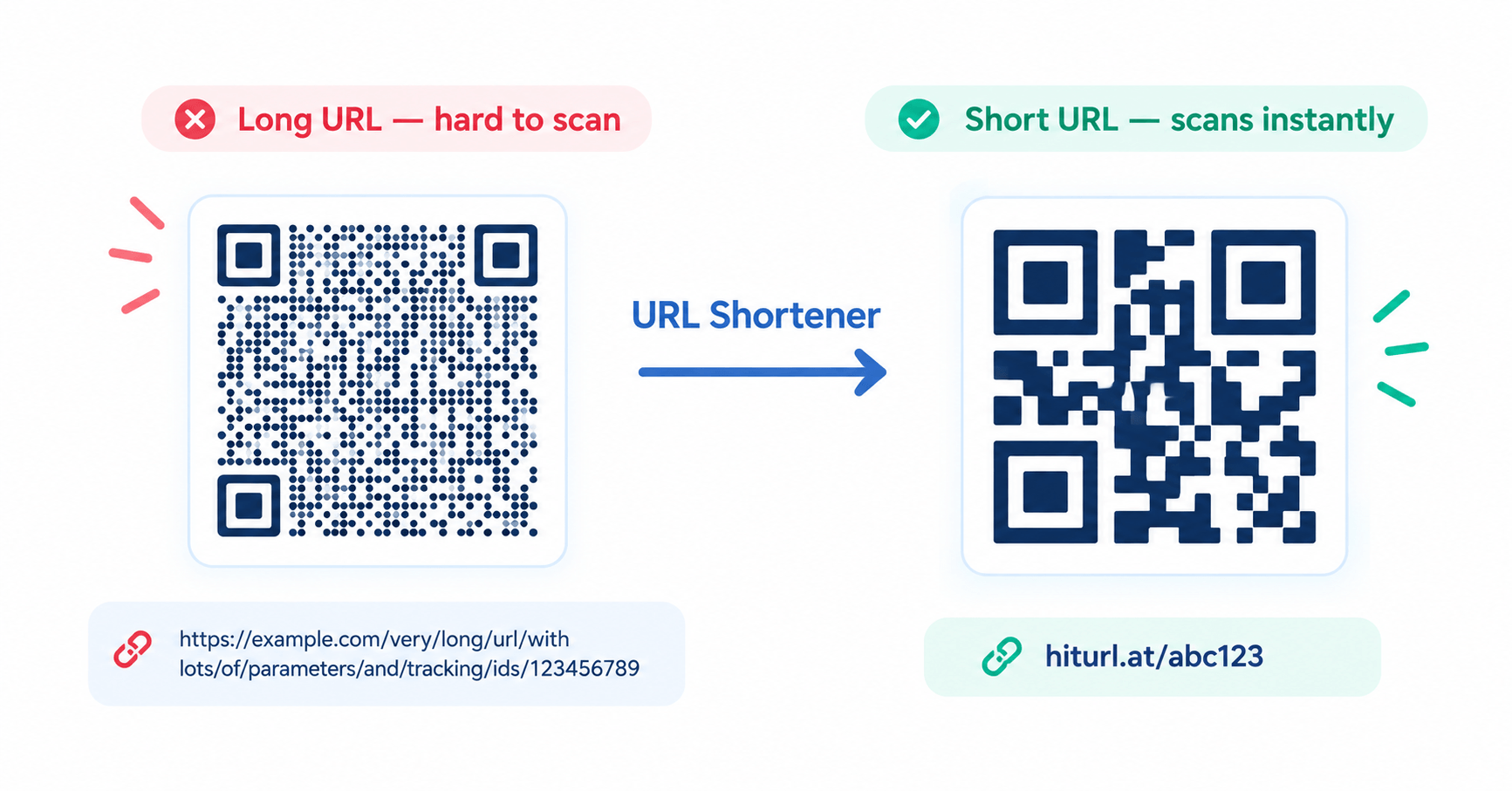
QR codes make it easy to connect printed materials with online content, but creating a QR code does not automatically tell you how many people scanned it. If you print a code on a flyer, product package, business card, restaurant table, poster, or event display, you need a tracking layer between the QR code and your destination if you want useful scan data.
One practical approach is to put a trackable short link behind the QR code. Instead of encoding your final website URL directly into the QR pattern, the QR code opens a short URL first. The short-link service records the request and then redirects the visitor to the final destination. This makes it possible to measure activity from printed campaigns and, when combined with UTM parameters and Google Analytics 4, understand what happens after the scan.
This guide explains how QR code scan tracking works, how to create a trackable QR code using a short link, how to use UTM parameters, how to compare different physical placements, and which mistakes can make your numbers misleading.
Can a QR Code Track Scans by Itself?
A QR code is essentially a visual representation of encoded data. A static QR code does not contain a built-in analytics counter. When a phone scans a static code containing your website address, the device simply opens that address.
For example, a static QR code might contain:
https://example.com/summer-sale
When someone scans it, the browser goes directly to that page. There is no intermediate redirect where a QR service or link-management system can record the request.
This is why the phrase “track a QR code” can be slightly misleading. In practice, you are tracking the web request generated by the scan. A dynamic QR code or a QR code that contains a trackable short link creates an intermediate URL that can record the visit before redirecting the scanner to the destination.
How QR Code Tracking With a Short Link Works
The process is simple:
QR code → short link → tracking system → destination page
Imagine that your actual landing page is:
https://example.com/products/summer-collection
Instead of putting that long URL directly into the QR code, you can create a short link such as:
https://hiturl.at/summer
The QR code then encodes the short link rather than the long destination.
When someone scans the code, the request reaches the short-link service first. The service can record the click or scan-related request and then redirect the visitor to the final page.
This approach has another important advantage: the destination can potentially be changed without replacing the printed QR image. That can be particularly useful when a code is printed on materials that are expensive or difficult to replace.
Step 1: Create a Trackable Short Link
Start with the URL you want people to visit after scanning your QR code. It could be a product page, signup form, restaurant menu, event registration page, app download page, digital business card, or promotional landing page.
Instead of using the long URL directly, create a short link with a link-management platform that provides click analytics. HitURL, for example, provides short links together with click tracking and dynamic QR functionality, allowing marketers to manage links and QR-based campaigns from the same ecosystem.
Whenever possible, use a meaningful custom alias rather than an unintelligible random string. For example:
brand.com/summer
or
short-domain.com/menu
A descriptive alias makes it easier for your team to identify the purpose of a link later and can make printed campaigns easier to manage.
Step 2: Add UTM Parameters for Campaign Attribution
Short-link analytics and website analytics answer different questions. Your short-link dashboard can tell you that a tracked URL received a request, while Google Analytics 4 can help you understand what happened after the visitor reached your website.
UTM parameters connect these two parts of the journey.
A campaign URL might look like this:
https://example.com/summer-sale?utm_source=flyer&utm_medium=qr_code&utm_campaign=summer_sale&utm_content=front_window
The main parameters are:
utm_source: Identifies where the traffic originated. For example, flyer, packaging, business_card, or trade_show.
utm_medium: Identifies the marketing channel. A value such as qr_code makes QR-driven traffic easier to isolate in analytics.
utm_campaign: Identifies the campaign, such as summer_sale or product_launch.
utm_content: Identifies a particular placement or creative variation, such as front_window, table_card, or poster_a.
Consistent naming is important. Using qr_code in one campaign and QR-Code in another can
create separate reporting categories in analytics platforms.
Step 3: Put the Short Link Into Your QR Code
Once your destination and tracking structure are ready, generate the QR code using the short link.
The important distinction is that the QR code should contain the trackable URL rather than simply pointing directly to the final page.
For example:
Less flexible:QR → https://example.com/summer-sale
Trackable workflow:QR → https://hiturl.at/summer → https://example.com/summer-sale
The second structure creates a redirect layer between the physical QR code and the website. That layer can provide useful click or scan-related information and gives you greater control over the destination.
Step 4: Use a Different Short Link for Important Placements
One of the most useful improvements you can make to QR campaign tracking is giving different physical placements their own short links.
Suppose you promote the same offer in four locations:
Flyer: short-domain.com/flyer
Business card: short-domain.com/card
Store window: short-domain.com/window
Trade-show booth: short-domain.com/booth
Each QR code can point to its corresponding short link while ultimately sending visitors to the same landing page.
Now your analytics can distinguish the traffic generated by each placement.
This is much more useful than printing exactly the same QR code everywhere. If every physical location uses one identical tracked URL, you may know the total number of visits but not which placement generated them.
Step 5: Test the QR Code Before Printing
Testing is one of the easiest steps to overlook.
Before sending a design to the printer, scan the actual QR code from the final artwork. Do not only test the original generated QR image. Check the version that will actually appear on the printed material.
Confirm that:
- The QR code scans quickly.
- The short link opens correctly.
- The redirect reaches the intended destination.
- UTM parameters remain attached when appropriate.
- The landing page works properly on a mobile device.
- The QR code remains readable at its final printed size.
- The analytics dashboard records the test visit.
Also test the code under realistic conditions. A QR code that works perfectly on a large monitor may become difficult to scan when printed very small, placed behind reflective packaging, or viewed under poor lighting.
What QR Code Scan Tracking Actually Measures
It is important to understand what the numbers mean.
A QR tracking system may record a request when someone scans or opens the encoded URL. Your website analytics system records activity after the visitor reaches the destination page and the analytics tag successfully runs.
These numbers do not necessarily have to be identical.
For example, imagine that your short link records 1,000 requests but your website analytics records 870 sessions. Several factors can contribute to a difference, including users abandoning the redirect, privacy controls, blocked analytics scripts, consent requirements, network problems, bot traffic, or other measurement differences.
Therefore, avoid treating every scan count as an exact equivalent of a completed website session.
Short-Link Analytics vs. Google Analytics 4
Both systems can be useful, but they measure different stages of the journey.
Short-link analytics: Useful for measuring activity around the redirect URL, including clicks, timing, and other metrics supported by the link-management platform.
QR platform analytics: Depending on the platform, these may provide dedicated scan metrics and additional information about the QR campaign.
Google Analytics 4: Useful for understanding what happens after the visitor reaches your website, including sessions, engagement, events, and conversions when correctly configured.
A practical campaign therefore looks like:
Physical placement → QR scan → tracked short link → destination → GA4 session → conversion
This separation makes your reporting much easier to understand.
How to Track Different QR Code Placements
If you want to compare offline marketing placements, create a unique link for each meaningful location.
For example, a restaurant could use:
brand.com/table
for table cards,
brand.com/receipt
for receipts, and
brand.com/window
for the front window.
All three links can redirect to the same menu or promotional page.
The advantage is that the campaign can answer a much more useful question than “Did people scan the QR code?”
You can instead ask, “Which physical placement generated the most measurable activity?”
That information can help you decide where to put future QR codes and which placements deserve more attention.
Common QR Code Tracking Mistakes
Using the Same QR Code Everywhere
A single QR code is convenient, but it limits placement-level reporting. If you need to compare a flyer, poster, package, and business card, give each important placement its own tracked URL.
Encoding a Long URL Directly
Long URLs can contain many characters, especially when UTM parameters are added. Encoding a shorter redirect URL can produce a simpler QR payload and also gives you a tracking and management layer.
Adding Inconsistent UTM Parameters
Inconsistent campaign naming makes reports difficult to analyze. Decide on a naming convention before generating multiple QR codes.
Forgetting to Test the Printed Design
A QR code can be technically valid but practically difficult to scan. Test the final design, size, contrast, surrounding space, and viewing distance before mass printing.
Confusing Scans With Conversions
A scan is not the same thing as a sale, registration, download, or lead. QR analytics measure an interaction with the code or redirect. Your website analytics and conversion tracking measure what happens afterward.
Using One Destination for Every Campaign Without Attribution
Sending every QR campaign to the same untagged URL makes it difficult to distinguish offline traffic from other visitors. Use campaign parameters or separate tracked links when attribution matters.
How to Make QR Campaign Tracking More Useful
Good tracking is not about collecting the largest possible number of metrics. It is about collecting information that answers a business question.
Before creating a QR code, decide what you want to learn.
If the goal is to compare locations, create one tracked link per location.
If the goal is to compare creative versions, use separate links or campaign parameters for each version.
If the goal is to measure a promotion, give the promotion its own campaign identifier.
If the goal is to measure sales or leads, connect the QR traffic with conversion events on the destination website.
This approach prevents your analytics dashboard from becoming a collection of numbers with no clear purpose.
Static QR Code vs. Short-Link QR Code
A static QR code is useful when the encoded information will never need to change and you do not require redirect-level tracking.
A QR code containing a trackable short link is more suitable when you need campaign measurement, destination flexibility, or link management.
Static QR:
QR → final URL
Short-link QR:
QR → tracked short URL → final URL
The second approach introduces an additional service layer, so the short-link domain and redirect system should be reliable. For business campaigns, it is worth using a service that provides clear link management and analytics rather than relying on an unknown redirect domain.
Can You Track QR Codes Without a Dedicated QR Analytics Platform?
Yes, depending on what you need to measure.
One simple approach is to create a tracked short link and use that URL as the QR destination. The short-link platform can record activity at the redirect layer, while UTM parameters can pass campaign information to your website analytics.
This can be particularly useful for businesses that already use a URL-shortening or link-management platform and do not want to maintain a separate system for every QR campaign.
The important thing is to understand the difference between redirect analytics and website analytics. A short-link click indicates that the tracking URL received a request. GA4 measures activity after the visitor reaches the website and the analytics system can record the session.
Example: Tracking a Product Flyer
Imagine an ecommerce company printing 2,000 product flyers.
The destination page is:
https://example.com/product
The company creates a tracked campaign URL:
https://example.com/product?utm_source=flyer&utm_medium=qr_code&utm_campaign=product_launch&utm_content=flyer_a
That URL can be shortened before being encoded into the QR code.
The final workflow becomes:
Flyer → QR code → short link → tracked destination URL → product page
Now the business can examine activity at multiple levels. The short-link dashboard can show activity around the redirect, while GA4 can show what visitors did after arriving at the product page.
If another version of the flyer is distributed at a trade show, the business can create a separate tracked link and
use a different utm_content value. This makes the two placements easier to compare without changing the
final product page.
Best Practices Checklist for Trackable QR Codes
- Use a reliable short-link domain.
- Create a separate tracked link for important physical placements.
- Use consistent UTM naming conventions.
- Use meaningful custom aliases when appropriate.
- Keep the destination page mobile-friendly.
- Test the redirect before printing.
- Test the QR code at its final printed size.
- Check that campaign parameters reach the destination correctly.
- Monitor redirect and website analytics separately.
- Measure conversions instead of focusing only on scan volume.
- Keep a record of which QR code belongs to each physical placement.
- Review campaigns regularly and remove or update outdated destinations when necessary.
Final Thoughts
The easiest way to turn a QR code from a simple printed link into a measurable marketing asset is to put a trackable short link behind it.
The basic workflow is straightforward: create a destination URL, add consistent campaign parameters when attribution is needed, shorten the URL, generate a QR code from the short link, test the finished design, and monitor the redirect and website analytics.
The biggest improvement comes from treating every important physical placement as its own measurable campaign. Instead of knowing only that “someone scanned the QR code,” you can build a clearer picture of where the scan came from, what happened after the visitor arrived, and which placements generated meaningful results.
For marketers, creators, small businesses, and developers who need short links with click tracking and QR functionality, HitURL can be used as the link-management layer in this workflow. The platform combines short links, tracking, and dynamic QR capabilities so campaigns do not have to be managed as completely separate systems.
When QR codes are connected to a structured link-tracking strategy, printed marketing becomes much easier to measure, test, and improve.