Why You Should Shorten Your URL Before Creating a QR Code (And the Free Tool to Do It)
Most people build a QR code like this: copy a long URL, paste it into a QR generator, download the image, and print it. It works. But it produces a worse QR code than it needs to be and it leaves you with no way to track who scanned it, when, or from where.
There is one step almost every tutorial skips: shorten the URL first. It takes fifteen seconds, produces a dramatically cleaner code, and turns every scan into trackable data. This article explains exactly why it matters, what goes wrong when you skip it, and the precise workflow to do it right for free.
What Actually Happens Inside a QR Code
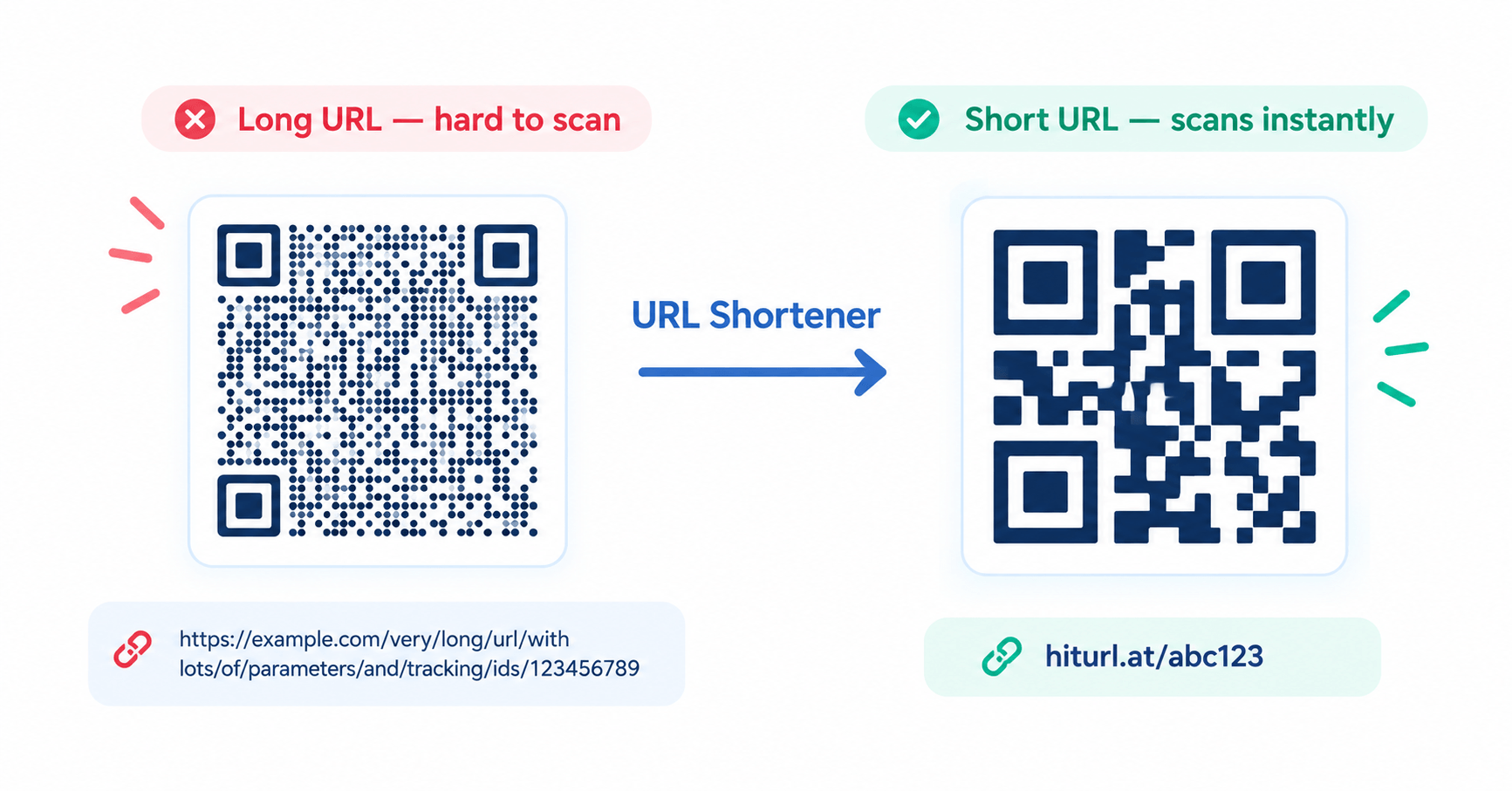
A QR code is not a picture. It is a grid of black-and-white modules (dots) that encode data. The more characters your URL contains, the more modules are required to store that data, and the smaller each module becomes inside the same physical square.
A typical long URL say, a restaurant menu page with UTM parameters appended might run to 120 characters. A short URL for the same page is 20 characters or fewer. The difference is not cosmetic. Fewer characters means fewer modules, which means each module is physically larger and easier for a camera to resolve. A long URL can reduce module size by enough that a slightly blurry print, a greasy menu surface, or an older phone camera simply fails to read it.
The practical rule: a short URL encodes 80–92% less data into the same QR code square, producing a grid that is forgiving of real-world scanning conditions low light, angle, distance, and print quality degradation over time.
The Hidden Cost of Using Bitly in 2025
Every article on this topic recommends Bitly. It is the obvious answer, and for years it was a good one. But in 2025, Bitly changed how its free plan works: links created on the free tier no longer redirect cleanly. Instead, they route the scanner through an intermediate page with advertisements before reaching the destination.
For a business owner who has printed 500 restaurant menus or 200 event flyers with a QR code, this is not a minor inconvenience. Your customer scans the code expecting your menu and sees an ad page first. The trust cost and the brand experience cost are real and most people do not discover this problem until after printing.
This is the gap in every existing tutorial on this topic. They recommend Bitly without flagging this change. You deserve to know it before you commit your print run to a shortener domain.
What to Look For in a URL Shortener for QR Codes
Not all shorteners are equal for QR use cases. Before choosing one, check for these four things:
No ad redirect on the free plan. Your customer should land on your page, not a monetisation page. This is non-negotiable for professional use.
Link persistence. Free shorteners sometimes delete inactive links after 30 or 90 days. A QR code printed on packaging or signage may be scanned months or years after creation. Your short link must stay alive.
Click analytics. The entire point of using a short URL with a QR code is to turn offline scans into measurable data. Your shortener should log clicks with timestamp, country, device type, and referrer.
Custom or clean domain. A short URL on a branded or neutral domain (hiturl.at/yourmenu) scans more trustworthy than a generic shortener domain. People see the URL in the scan preview before confirming a recognisable domain increases tap-through rates.
The Free Tool Pair That Does This Right
The workflow that covers all of the above requires exactly two free tools used in sequence.
Step 1 — Shorten your URL with HitUrl. HitUrl.at is a free URL shortener and link management platform with 1,300+ users. It generates clean short links with no ad redirect, provides click analytics by device and location, and keeps links persistent. Paste your destination URL, generate your short link, copy it.
Step 2 — Generate the QR code with TryQRCode. Head to TryQRCode.com, paste the short URL from HitUrl, and generate your QR code. Because the URL is now 20–25 characters instead of 100+, TryQRCode produces a clean, bold, large-module code that scans reliably at distance and in poor lighting. Download it in SVG format for print, or PNG for digital use. No signup required on either tool.
The full workflow from long URL to print-ready QR code with analytics takes under sixty seconds.
Step-by-Step Walkthrough
1. Take your destination URL. This is whatever page the QR code should open a menu PDF, a Google Maps listing, a WhatsApp chat, an Instagram profile, a product page. Do not clean or trim it yet.
2. Go to HitUrl.at and paste the URL. Click shorten. You will get a short link in the format hiturl.at/xxxxxx. If you create a free account, you can also customise the slug to something readable like hiturl.at/mymenu and access your click analytics dashboard.
3. Copy the short URL. This is now your QR code source not the original long URL.
4. Go to TryQRCode.com. Select URL QR from the generator. Paste the HitUrl short link. Customise colour, add a logo if needed, and download. Use SVG for anything that will be printed at A4 size or larger.
5. Test before printing. Use TryQRCode's built-in QR code reader to scan your own code and confirm it routes correctly through HitUrl to your destination.
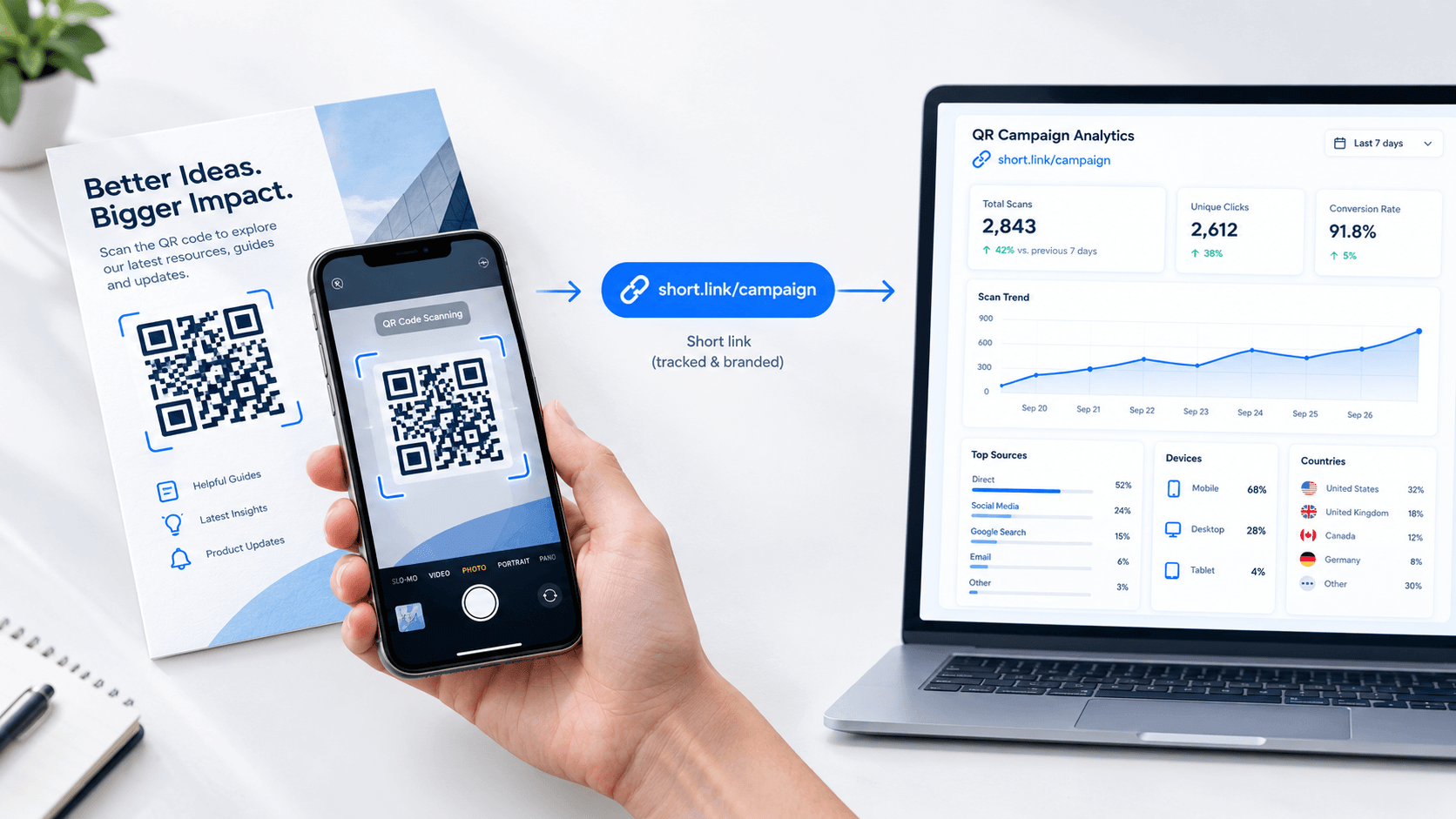
6. After launch, check your analytics. Log into HitUrl.at and open your link dashboard. Every scan of the QR code is a click on the short URL, so you see total scans, unique scans, device breakdown (iOS vs Android), and geographic distribution. This is the scan tracking data most QR tools charge $20–$50 per month for available here free.
Why This Produces Better QR Codes Technically
QR codes use error correction a redundancy system that lets the code be read even when part of it is damaged or obscured. There are four error correction levels: L (7%), M (15%), Q (25%), and H (30%). A higher level means the code can survive more damage, but it also increases the number of modules and makes each one smaller.
When you encode a long URL, the generator must pack so many data modules into the grid that even at error correction level L the lowest, the modules become small. When you encode a 20-character short URL, the generator can run at error correction level M or Q meaning the final code can withstand a coffee stain, a fold, or a scratch while the modules are still large enough to scan reliably at 30cm distance by a standard phone camera.
Short URL → smaller data payload → larger modules → higher error correction tolerance → more reliable real-world scanning. The chain is direct.
When You Already Have a Printed QR Code
If you have already printed materials with a static QR code that encodes a long URL, you have one option: reprint with the short URL. There is no way to retroactively add tracking to a static QR code already in the field.
This is exactly why the shortener-first workflow matters before printing. Once you have the short link as the QR code source, you can update the destination URL in HitUrl at any time without changing or reprinting the QR code itself. The code on your 500 printed menus stays the same; only the destination it points to changes. This is the practical difference between a smart QR code workflow and a disposable one.
Common Mistakes to Avoid
Shortening a URL that already has UTM parameters. UTM parameters (?utm_source=print&utm_medium=qr) make URLs very long. Shorten the clean destination URL first, then use HitUrl's analytics instead of UTM for scan tracking. You do not need both HitUrl's click data gives you device, location, and timestamp without inflating the URL.
Using a free shortener with link expiry. Several free shorteners silently expire links after 30–90 days of inactivity. Always check the shortener's terms before committing it to a print run. HitUrl.at does not apply expiry limits to standard links.
Generating the QR code at PNG 72 DPI. Digital display resolution is not print resolution. If TryQRCode offers SVG download, always use it for print. SVG scales to any size with zero quality loss. PNG at 72 DPI will be blurry on a business card and completely unusable on a poster.
Skipping the scan test. Always test your QR code with a real device before printing. Use a different phone than the one you generated the code on, scan from the expected viewing distance, and confirm the destination page loads correctly.
Summary
Shortening your URL before generating a QR code is not optional housekeeping it is the technical decision that determines whether your code scans cleanly in the field, whether you can track its performance, and whether you can update the destination without reprinting. The two-tool workflow HitUrl.at to shorten, TryQRCode.com to generate covers all of this at zero cost, with no ad redirects, no link expiry concerns, and no signup wall between you and a working QR code.
Your next print run deserves a smarter QR code. Start with the URL.